
High heat dissipation bracket for notebooks with a 4.07mm thick aluminium alloy frame and 360-degree rotary style, offering improved airflow and ergonomic viewing angles for cooler, more stable laptop performance.
Grey
£105.98
Skip to product information

 Introductory paragraph: Overheating laptops are a common headache, often caused by restricted airflow when the device sits flat on a desk. This aluminium alloy bracket provides a simple yet effective mechanical solution. By elevating the chassis, it creates a crucial air gap that allows your laptop's own cooling system to work more efficiently. The 4.07mm thick construction offers a solid foundation, while the 360-degree rotary style gives you full control over your screen's position. Available in stripe heat dissipation silver or grey, it's a functional upgrade for any workspace, aiming to reduce thermal throttling and extend component lifespan through better ventilation.
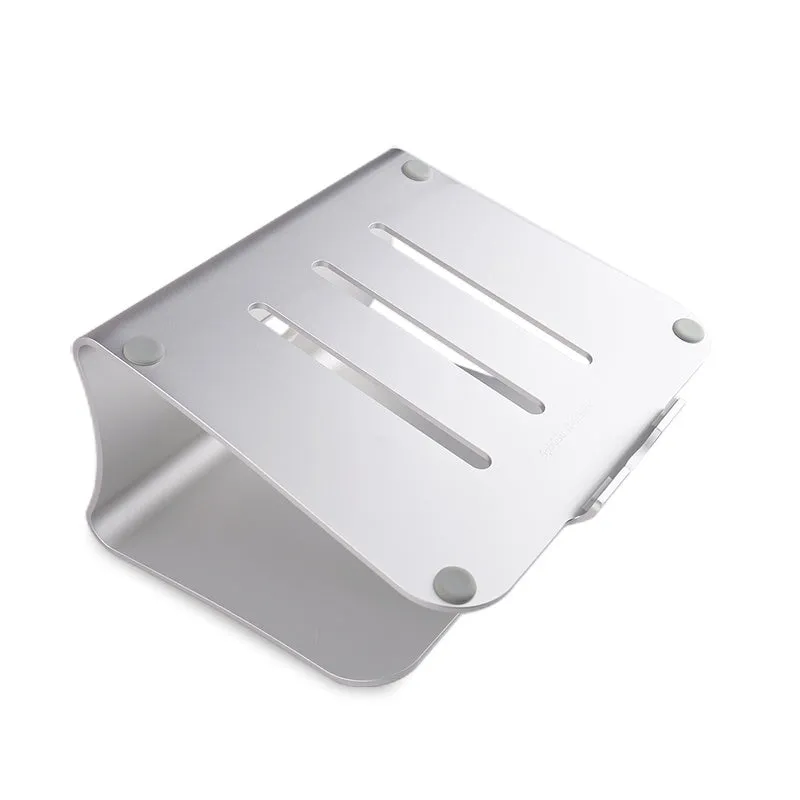 This section details the specific materials and engineering choices that contribute to the bracket's functionality and durability, moving beyond basic specs to explain their practical impact.
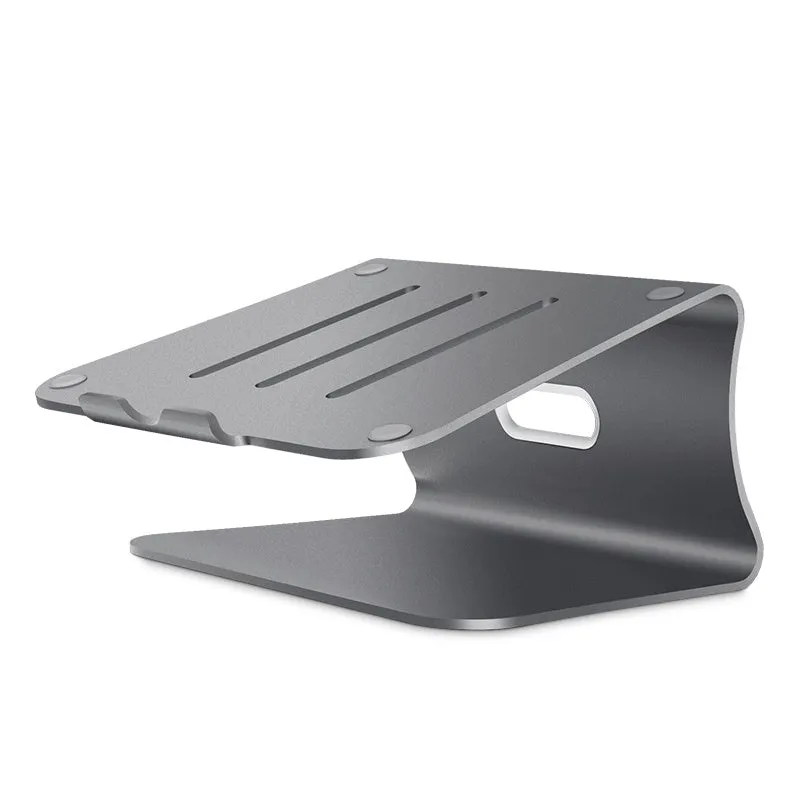 This stand isn't just for overheating laptops; its design solves several common workspace ergonomics and equipment care issues. Here are specific scenarios where it proves useful.
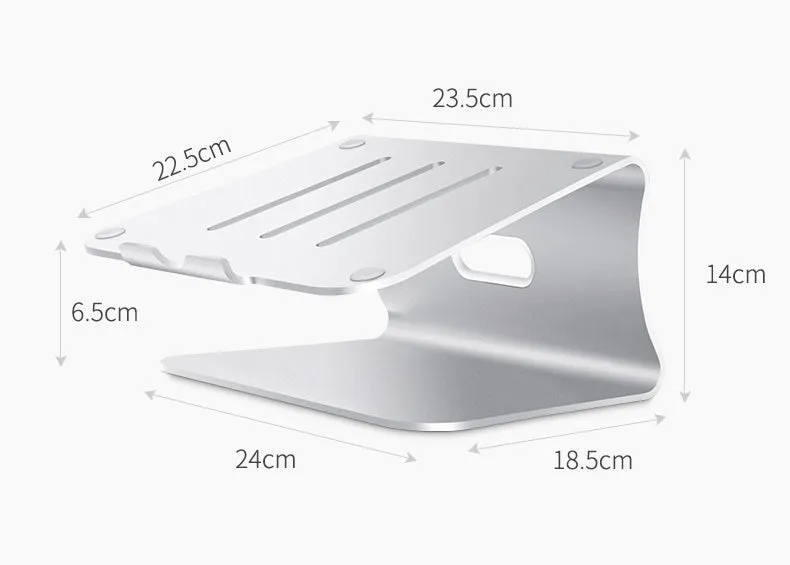 Investing in a simple piece of hardware like this bracket can yield measurable returns in device performance, user comfort, and equipment longevity.
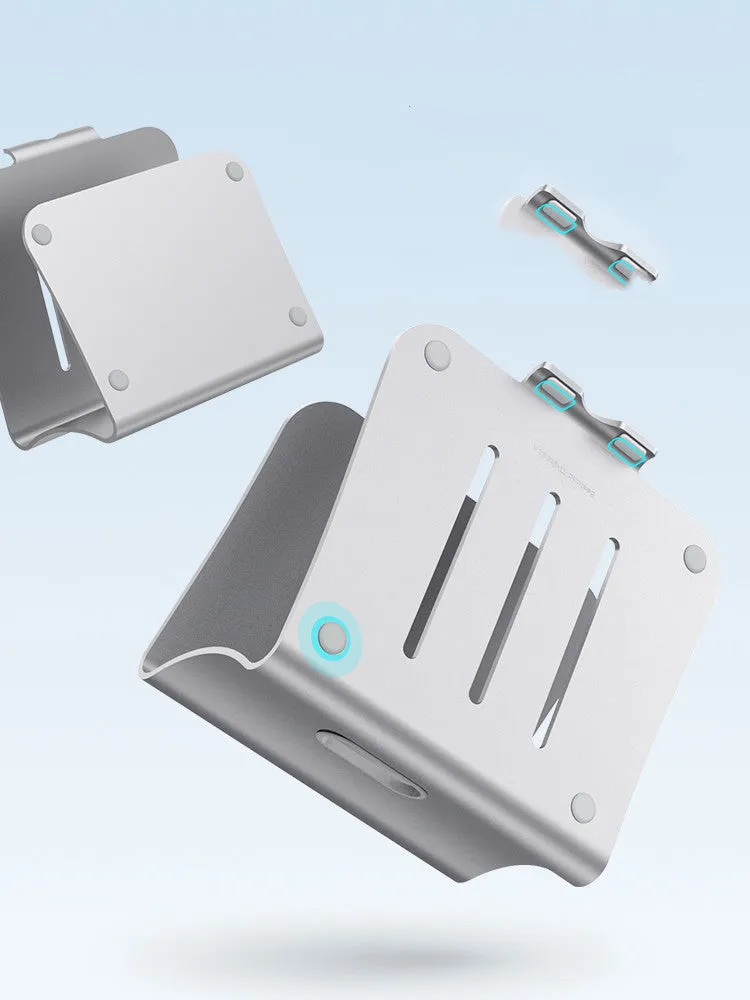


High heat dissipation bracket for notebooks with a 4.07mm thick aluminium alloy frame and 360-degree rotary style, offering improved airflow and ergonomic viewing angles for cooler, more stable laptop performance.
£105.98
High Heat Dissipation Laptop Bracket: A 4.07mm Thick Aluminium Stand for Cooler Performance
Features and Build Quality of the Laptop Bracket
Aluminium Alloy Frame Design
The core of the bracket is formed from a single piece of aluminium alloy, milled to a precise 4.07mm thickness. This dimension is key: it provides substantial rigidity to prevent flex or wobble under the weight of a laptop, yet keeps the overall profile slim and lightweight. Aluminium is selected not just for strength, but for its thermal properties. The metal acts as a passive heat sink, drawing some warmth away from the laptop's base through conduction, complementing the improved airflow.360-Degree Rotary Mechanism
The central technical feature is the full-rotation base. This isn't a simple tilt mechanism; it allows the entire platform to swivel smoothly through a complete circle. This gives you the flexibility to angle your screen towards a colleague during a meeting, turn it away from a window's glare, or simply find the most ergonomic position without moving your entire setup. The mechanism is designed for repeated adjustments, providing a practical solution for dynamic workspaces.Sturdy Construction and Finish
Quality is evident in the bracket's lack of moving parts beyond the central swivel, minimising potential failure points. The aluminium frame is finished in one of two ways: a textured 'stripe heat dissipation' pattern in silver, designed to increase surface area slightly, or a uniform matte grey. Both finishes are resistant to scratches and fingerprints, ensuring the bracket maintains its appearance with daily use. The edges are smoothly rolled or machined to prevent any sharp contact points with your laptop or desk.Practical Applications for the Cooling Bracket
Professional and Home Office Use
For professionals working long hours on data analysis, video editing, or software development, sustained CPU/GPU load generates significant heat. Placing a laptop directly on a wooden desk or, worse, a soft surface like a bed, traps this heat. This bracket elevates the device, often dropping perceived base temperatures noticeably. The rotary base also aids in cable management for a cleaner desk, allowing you to easily turn the laptop to access ports or route wires neatly to one side, reducing clutter and trip hazards.Everyday Computing and Leisure
During everyday use, like browsing or streaming, the benefit is more about comfort and device care. The gentle lift creates a more natural typing angle, which can reduce wrist strain. The ability to swivel the screen means you can share a video with someone sitting beside you on the sofa without passing the entire laptop back and forth. The cool, solid feel of the aluminium under your wrists is a tangible difference from the often warm plastic or metal of a laptop base, a direct result of the material's heat-dissipating property.Versatility Across Devices
While designed for laptops, the stable, flat platform has alternative uses. It can serve as a stand for a small monitor, a tablet in landscape mode for following recipes in the kitchen, or even as a riser for books or documents next to your main workstation. Its neutral colour scheme—grey or silver—allows it to blend into most decors, from a modern home office to a more traditional study, functioning as a discreet piece of utility hardware rather than overt 'gamer' gear.Key Benefits and Long-Term Value
Cost-Effective Performance Maintenance
Compared to active cooling pads with noisy fans that require USB power, this is a passive, zero-maintenance solution. There are no moving parts to wear out (beyond the simple swivel) and no power draw. By helping to maintain lower operating temperatures, it can contribute to preserving battery health and preventing performance throttling. This can delay the perceived need for a hardware upgrade, protecting your larger investment in the laptop itself over the long term.User Satisfaction and Peace of Mind
The satisfaction comes from solving a tangible problem. The confidence that your laptop isn't silently overheating during a long rendering task or an important video call is a direct benefit of the improved airflow enabled by the bracket's design. This peace of mind is rooted in the physical engineering: the 4.07mm thick aluminium frame ensures stability, so your valuable device won't slip, while the creation of that critical air gap addresses the core cooling issue mechanically.A Simple Upgrade for Your Workspace
If your laptop feels hot to the touch or its fans are constantly running at high speed, the problem is likely insufficient ventilation. This bracket offers a direct, measurable intervention. By simply introducing a gap of a few centimetres, you enable your laptop's own thermal design to function as intended. Combine this with the ergonomic benefit of an adjustable viewing angle, and you have a compelling reason to add this piece of hardware to your setup today, for a cooler, more comfortable, and more adaptable computing experience.